1v1 Reaction Battle – Two Players, Same Device
Reaction Test Multiplayer puts two people on one screen. First to five points. Time to find out who actually has the faster reflexes.
Two players · one device
Play Solo Instead
How Our Reaction Test Multiplayer Mode Works
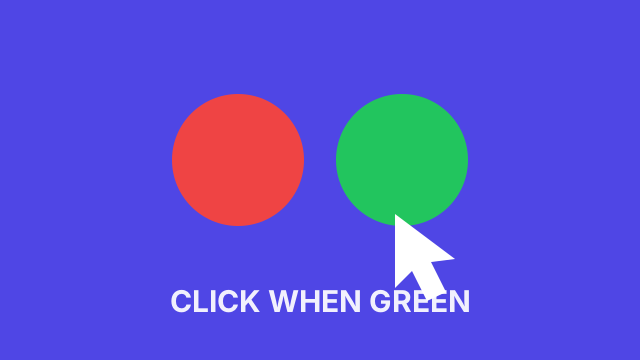
Both players share one screen and one clock. The panel splits down the middle: the left half and the A key belong to Player 1, the right half and the L key belong to Player 2. After a countdown the panel holds red for a random interval, then turns green, and the first press wins the point. Press before the green and the point goes to your opponent, which is what stops the match from degenerating into a guessing contest.
Since Reaction Test Multiplayer runs entirely on your device, there's no server, no matchmaking queue, and no connection advantage. You're both being timed by the same clock on the same machine, which makes this about as fair as a head-to-head gets. Input hardware and browser scheduling can still affect the recorded times.
Reaction Test Multiplayer vs. Playing Solo
A solo test asks one question: how fast are you? Going head-to-head asks a harder one — how fast are you while someone else is racing you for the same signal? Turns out those are pretty different skills. On your own, jumping the gun just voids the round and you try again. Here it hands your opponent a free point, so the temptation to guess never lets up and it costs you the second you give in.
Which means match results are messier than solo scores, and that catches people off guard. Someone with a clean 230ms average on the five-round test will lose to a slower friend all the time, just by jumping early twice in one match. Want a number that describes your nervous system? Take a solo test. Want to know who actually wins? You're in the right place.
Honestly, they work best together. Get your baseline on your own, then bring it into a multiplayer match, where holding back counts for as much as being quick. Most people discover their raw speed was never the problem — it's the impatience in that last half-second before green.
Reaction Test Multiplayer Strategy
Multiplayer changes the math on you. Alone, waiting a beat too long just costs you a slightly worse number. In a duel it costs you the point, and that's what pushes almost everybody into guessing. That temptation is basically the whole game. The person who keeps reacting instead of predicting takes the long match even when they're a few milliseconds slower, because every early press is a gift.
Practically: rest your finger on the key instead of pressing into it, stare at the middle of the panel and not at your opponent, and don't let yourself speed up after dropping a point. That last one gets people constantly — you lose one, you get impatient, you jump the next two. Want to show up with an actual edge? Build your focus on the speed streak mode and get your baseline from the five-round test before you sit down for a multiplayer rematch.
Getting Someone to Play Reaction Test Multiplayer
Hit Copy game link and the link lands on your clipboard. Send it, then get the two of you in front of the same screen — a laptop on a desk, a tablet on a table, a phone held sideways between you. That is the entire setup. No accounts, no room codes, no waiting in a lobby for someone to connect.
Fair warning about how these usually go: a multiplayer reaction test is way more fun in a group than one-on-one. Run a quick bracket — winner stays on, everybody else heckles — and you'll burn through twenty minutes without noticing. It also exposes something a solo score never will, which is that the person with the best number in the room is very often not the person who wins the most matches.
Want to actually get faster before the rematch? The reaction time training guide covers what genuinely moves the number and what does not.
Why Reaction Test Multiplayer Is Same-Screen
This game runs locally on one shared screen. There is no remote opponent, matchmaking service or room code. A shared display gives both players the same signal; the browser records each input locally.
Hardware still matters. Use matching input methods — both keyboard keys or both touch targets — and swap sides for a rematch. The result describes this session on this device, not a laboratory measurement.
Reaction Test Multiplayer on Your Phone
On a touchscreen, each player taps their labeled half of the panel. A tablet gives both players more room; on a phone, try landscape if that feels more comfortable. Wait for GO before touching your target. Use Next round when both players are ready, and Play again after a match.
Display refresh rate, browser scheduling and touch input can affect recorded times. There is no universal correction to convert a phone result into a desktop score. Keep the same device and input method when comparing your own sessions.
Frequently Asked Questions
How do I play Reaction Test Multiplayer against a friend?
Grab a seat at the same device. Player 1 gets the A key or the left half of the panel, Player 2 gets the L key or the right half. Once the countdown ends and the panel flips green, whoever hits their key first takes the point. First to five wins.
Is Reaction Test Multiplayer free?
Completely. No account, no download, no install, and no cap on how many matches you play. The whole thing runs in the browser tab you already have open.
What happens if someone presses before the green?
The point goes straight to their opponent. Because the delay before the signal is randomized between one and four seconds, guessing is punished rather than rewarded.
Can I play against someone in another city?
No. This is local play for two people sharing one device. Sharing the link does not create an online room. Friends on separate devices can try the five-round test individually, but hardware differences limit comparisons.
Does network lag affect the result?
No. The entire multiplayer match runs locally in the browser with no server round trip, so both players are timed by the same clock on the same machine. Neither side gets a connection advantage.
Is one player's side of the keyboard faster?
The scoring rules are the same on both sides, but keyboard hardware and input methods can affect timing. Use the same kind of input for both players and swap sides between matches.
How many points does it take to win?
Five. That is long enough that one lucky round does not decide the match, and short enough to keep a session moving.